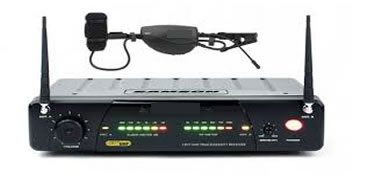
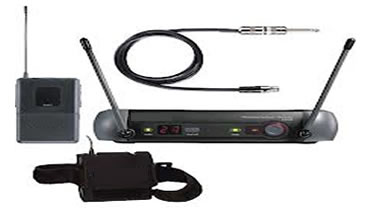
This month's topic is wireless
microphone and instrument systems. The modern wireless
system is well developed and affordable in comparison
to the early days. The early systems of the late
seventies and early eighties were on lower radio
frequencies than today's systems and were quite susceptible
to interference. I remember one instance where every
time the drummer hit his cymbals a blast of static
came out of my guitar wireless. Thankfully, things
have come a long way since then. Wireless is now
an accepted usable technology and less of a novelty.
It always made me laugh in the early days that people
were in awe that you could broadcast a wireless guitar
signal twenty feet to a receiver and then they would
get in their car and listen to a radio station from
hundreds of miles away and think nothing of it. |
|
A wireless system consists of two main components, a transmitter
and a receiver. They each must be on the same radio frequency
in order to communicate with each other. There is a range
of frequencies that can be used, all tightly controlled
by the FCC. In the very early systems 49 MHZ was used.
This was lower than broadcast FM (88-108 MHZ) and as
I said above, had problems with static and dropouts.
Later the VHF band (around 200 MHZ) was used to better
success and this led to the higher frequency UHF band
(around 500MHZ) which operates with much less problems.
Let's look at some of the key points
of wireless systems:
ANTENNAS
Any radio system requires two antennas,
one to broadcast the signal from the transmitter out into
the air and another to pull the signal out of the air into
the receiver. The antenna length must be proportional to
the length of the radio wave's frequency (wavelength).
The lower the frequency, the longer the wavelength. This
is why the early wireless systems had long antennas similar
in length to the antenna on your radio's boom box, because
the frequencies were not that different. As frequencies
started to be used in the VHF and UHF ranges, the antennas
became much smaller. This is a plus for the antenna that
is inside a handheld microphone where space is limited.
Antenna systems and their placement are
a key factor in good radio reception. When a radio signal
is broadcast out into the air it can be reflected off of
objects that it cannot pass through. If this reflected
path mixes with the original signal the amount of time
delay of the reflection can cause the two signals to be
out of phase and partially or fully cancel each other.
This is called multi path interference. Other possible
causes for poor reception would be blockage of the direct
signal by a large object such as a building or mountain
or the signal itself is too weak or far away to be picked
up by your radio's antenna. If you are listening to a radio
in your house and the receiver is stationary, you can adjust
the antenna for the clearest signal and enjoy listening.
But what happens when the receiver is moving as when you
are listening to the radio in your car? While driving the
antenna is being moved through different locations and
the above reasons for poor reception may occur until you
drive back into a zone of good reception..
Wireless microphone systems suffer from
all of the above. The only difference is that instead of
a stationary transmitter and receiver in motion the transmitter
microphone is moving and the receiver is stationary (except
of course those new-fangled wireless in ear monitor systems).
The same reception problems can occur though. The difference
is that instead of moving the receiver through a fixed
field of multi path interference, the multi path varies
every time the microphone is moved as its transmission
frequency bounces off of different objects. These cancellations
may be contained in a very small area as in inches or a
few feet.
To combat this problem manufacturers developed
the diversity antenna system. Two antennas are installed
onto the receiver connected to a circuit that can switch
the receiver to the antenna with the strongest signal.
This is very effective even though the two antennas are
merely inches from each other.
SQUELCH
Squelch is the most misunderstood wireless
system function. People often bring me wireless systems
to repair when all is needed is to set the squelch. Let's
examine what this is about. As we said above both the transmitter
and receiver must be on the same frequency for them to
communicate. But what if the transmitter is turned off
but your receiver is on and connected to a live input on
a sound system. Any spurious noise on the receiver's frequency
present in the air will be output into the sound system
as a blast of static. This is where Squelch comes in. It
is a circuit that sets a minimum level of signal needed
to be seen by the receiver. If the signal it is receiving
is less than the minimum the Squelch circuit mutes the
audio output of the receiver. For instance let's assign
an arbitrary value between 1 and 10 to any potential signal
received by the receiver. Let's say the noise is at a level
of four and when the transmitter is on it has a level of
seven. If we set the Squelch to five the noise at a level
of four is muted, but if we turn the transmitter on the
level of seven unmutes the output and you hear sound. Not
unlike using a noise gate on guitar audio. I usually advise
customers to set the squelch using the following method.
Plug the receiver into the sound system and set to a very
low volume so a loud blast of noise is not possible. Turn
the Squelch control to minimum (full counterclockwise).
If noise is present it will be coming out the speakers.
Now raise the level of the Squelch control until the noise
stops and then go just a bit further. Bear in mind setting
the Squelch too high will cut the transmission range of
the transmitter. As the distance increases between the
transmitter and receiver the signal seen by the receiver
is weaker. If it goes below the Squelch threshold it will
mute the audio. It's a good idea to calibrate the squelch
whenever the wireless is brought to a new venue Although
traditionally the Squelch control has been a physically
manipulated control on the receiver a lot of the newer
systems that have LCD screens and microprocessor control
access the Squelch settings in the software of the receiver.
This will invariably be buried in some sub menu accessed
by many cryptic button pushes. Doesn't it seem like the
more parameters made available to the user to control the
less buttons there are on the front of the receiver to
access them? I'm talking to you EV RE2 system.
MULTIPLE FREQUENCIES
The early microphones were each sold on
a specific frequency. In situations where multiple wireless
units were to be used at the same time several systems
could be purchased on different frequencies and used simultaneously
without interfering with each other. This had several inconveniences.
First, the retailers had to stock the same model unit on
many different frequencies making extra inventory expense
and taking up stock room space. Second, if there were changes
such as getting a new guitar player in the band and his
wireless was on the same frequency as the lead singers
wireless, then somebody was buying a new wireless on a
different frequency.
Eventually, wireless systems were produced
where there is a range of frequencies to choose from on
a single system. This provides the option of selecting
an unused frequency for compatibility with other systems
in use and finding a channel that works best for minimum
dropouts. Of course each manufacturer has a different and
confusing way to change the channel, requiring you to reset
the frequency on the receiver and the microphone, stepping
through sub menus and deciphering their group and channel
menu which always inexplicably changes to the frequency
readout.
Newer systems were developed to automatically
set the frequency. EV has Clear Scan. Here one press of
a button on the receiver and it selects the most optimum
frequency although you still have to step through menus
on the transmitter to match the frequency to the receiver.
Shure has a two part system. You press
a button on the receiver and it selects a clear frequency.
If you then remove the battery cover on the microphone
it exposes an infrared sensor not unlike a TV remote. If
you hold the sensor in front of the receiver and push the
sync button on the receiver the receiver sends data by
the infrared link to tell the microphone what frequency
to switch to.
BAND B
One development in the last few years is
the reallocation of the frequencies on the B band (698-806
MHZ) by the FCC. As of June 12, 2010 it is illegal to use
a wireless system that operates on these frequencies. You
will also find that the manufacturers will not take them
back for repair and most service centers will not repair
them either. The frequencies have been reallocated to emergency
services such as fire, police and medical so anyone operating
a wireless on those frequencies runs the risk of interfering
with an emergency service where lives may be at stake.
I still get B band systems in for repair and customers
are angry that I won't repair their expensive wireless,
but I am not going to violate a safety law.
COUNTERFEIT
An unfortunate problem that has come up
is that there is a rampant counterfeit electronics market
coming out of China. One type of product being illegally
produced are Shure Wireless systems that are at least on
the outside exact duplicates of the real ones down to the
packaging they come in. And these counterfeit systems are
making their way onto the shelves at major retailers such
as Guitar Center. Although these systems work, if there
is any service issues they will not be supported by Shure.
I have seen microphones sent to Shure for service returned
unrepaired with a counterfeit label attached. I had one
customer with a counterfeit receiver that needed its main
board replaced. Making the assumption that since the unit
looked like an exact copy of the real thing he had me order
a Shure main board at his own risk to replace the bad one.
Of course the real board was different from the counterfeit
so he was out $200.00.
OPTIMIZING A WIRELESS SYSTEM
Here are a few thoughts on getting the
best results from a wireless system.
Receiver placement
I see people locate the wireless receiver
offstage usually at the mixing console position which can
be maybe 50 feet away. This gives the wireless signal plenty
of opportunity to bounce around and create multipath dropouts
or signal muting from the squelch circuit. It is far better
to locate the receiver onstage as close to the transmitter
as possible. This gives a direct path to the receiver from
the transmitter and will be a stronger signal than the
multipath reflections that come back making less potential
for dropouts.
Microphone calibration
A wireless transmitter has two sections:
the microphone or guitar preamp and the transmitter. It
is possible for a loud vocalist or guitar to put so much
level into the preamp that it will distort and the transmitter
will broadcast this distorted signal. To optimize the level
of the preamp a trim control is generally provided to calibrate
the level just as their is a trim control on a mixer channel
input. The manufacturers even include a little plastic
screwdriver to access the recessed gain trim pot. It is
easy to find as they keep it in a plastic clip inside the
transmitter chassis and it rattles with a maraca like sound
that gets broadcast to the sound system.
Guitar calibration
It
is a subject of controversy concerning what the impact
of adding a wireless system will have on guitar tone.
We can break this down into level and tone. When
your guitar is connected directly to your amp the
level coming out of the guitar is a function of the
pickups being used and the influence of the onboard
electronics volume tone pots etc. If that level is
working well to get your sound, then if a wireless
is inserted in the signal path it is likely that
the signal level will be different. It is possible
for the signal level to be either less or more than
the original. Either way it will change the way the
guitar drives the front end of the amp. Fortunately
most receivers have a level control to adjust their
output level. Some have a rotary pot on the receiver
chassis and some will let you adjust the level in
the software although it may be in steps and an exact
match will not be possible. I have found that many
receivers allow a little boost to the signal when
turned full up and have their unity gain point at
about 4:00 on the dial. |
|
Tone is a more complicated subject. The
actual tone of an electric guitar is created by the onboard
guitar components (pickups, pots,caps) and the front end
circuitry of the amplifier all working together as one
circuit. This is why the same guitar reacts differently
with different amps. Maybe the volume control responds
better or the guitar is brighter on one amp than another.
Inserting a wireless system into the middle of that circuitry
will possibly change the tone. The input components of
the amplifier are now actively isolated from the guitar
circuitry changing the way the pickups react. Is this a
noticeable difference? There is no answer to that question
as it depends on many variables, so the answer is specific
to the equipment being used.
There are two advantages to using a guitar wireless system.
First the output of the receiver is low impedance so guitar
cables will bleed less highs off. And the lack of a cable
needed from the guitar means that a short cable can be
used if the receiver is located near the amp's input further
reducing possible signal degradation from cabling. Secondly,
there is a nice safety feature to using a wireless guitar
system. Since there is no physical connection to the amplifier
there is no possibility of a shock hazard from touching
an electrically hot chassis or microphone while holding
the guitar.
TROUBLESHOOTING
And finally a word about troubleshooting.
In addition to what we discussed above concerning antennas
and squelch, there are a few other problems that come up.
Batteries
It should go without saying that fresh
batteries should be installed. Alkaline's are the only
ones that should be used. They can put out the needed current
into the transmitter the longest. Standard Carbon Zinc
batteries can not source the current needed so they will
sag in voltage and die fast. Rechargeable batteries also
can not source enough current and die quickly.
The springy contacts that the batteries
push against have a tendency to fatigue over time and not
make good contact causing either the transmitter to not
work or switch on and off as the batteries move around
and make some very loud pops.It is easy to take a small
screwdriver and retension the contacts if this happens.
Bear in mind that Eveready and Duracell 9 volt batteries
are slightly different sizes from each other. If you use
the larger and it bends the contacts a little, when you
change to the smaller brand you are going to have problems.
Cables
Another failure mode on wireless headsets
or lavalier microphones is the failure of the cable at
either the end that plugs into the transmitter or where
it goes into the lavalier or headset itself.This occurs
from the cable flexing back and forth over time especially
in the case of active users such as drummers or aerobic
instructors. Generally a technician can cut and reinstall
the wire to the connector going into the transmitter, but
most of the time if it breaks on the lavalier or headset
side it will not be repairable and need to be replaced.
Hopefully I have given some insights into
wireless systems and helped clear up some of the points
I often see that will confuse people. Please feel free
to contact me if you have any questions.
Steve
Weiss is the owner and main technician of Steve Weiss
Electronics Inc. He is experienced in the repair
of analog and digital musical equipment. This includes
everything from Vintage Tube Amps and Pro Audio equipment
to Digital Keyboards There is also a guitar repair
shop staffed by some of the areas top guitar repair
techs. He is authorized for warranty work on most
major brands. Steve Weiss Electronics is located
inside of Sam Ash Music at 5460 West Sample Road
Margate, FL 33073 954-975-3390 Ext 272. Steve has
also spent 25 years on the road as a performing guitarist
and is the designer of Primal Guitar amps that can
be seen at Primal
Audio.com Steve can also be reached at stevew@metromusicmayhem.com |
|
|